How to Make a Crazy Frog AI Video With Your Own Photo (2026 Step-by-Step)
Make the viral Crazy Frog AI video from 1 photo in 3 steps: you on an invisible moped, chased by a hover-bike cop. 5–10 min, from $6.90, plus TikTok tips.
 AI Crazy Frog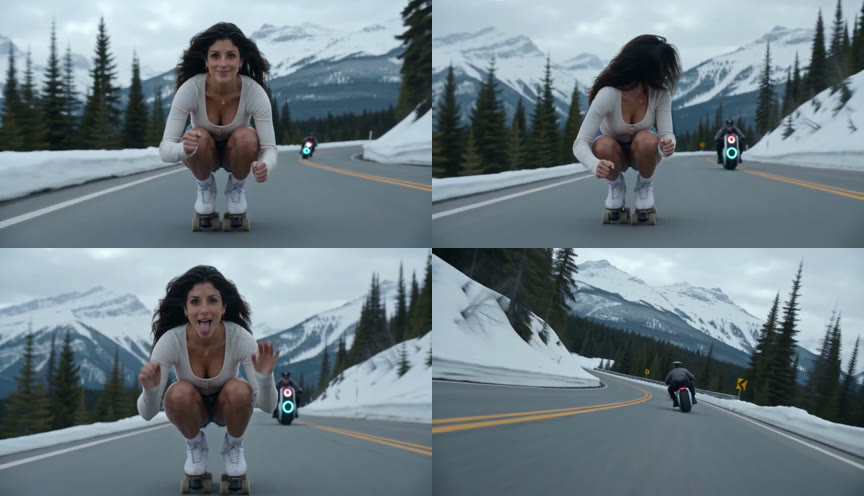
Short answer: upload one front-facing photo to AI Crazy Frog, pick a scene and an ending, and about 5–10 minutes later download a 15-second video of you squatting in mid-air on an invisible moped while a cop on a hover-bike chases you. On TikTok, add the Crazy Frog sound in the app and post. One photo is enough: no video of yourself, no prompt, no editing.
| Crazy Frog AI video on AI Crazy Frog | |
|---|---|
| You upload | 1 photo of the rider (JPG, PNG, WebP or HEIC, up to 8 MB), plus an optional photo of a friend as the cop |
| You get | A 15-second MP4, no watermark, with or without the original trend sound |
| Format | 9:16 for TikTok, Reels and Shorts, or 16:9 like the original |
| Choices | 8 scenes, 3 endings (flip, wipeout, wheelie), an optional second photo for the cop |
| Time | About 5–10 minutes per video |
| Price | 10 credits for a standard video, 25 for HD; from $6.90, no subscription, failed renders refunded |
1 photo · 15 s · 16:9 or 9:16 · sound included · from $6.90
Real examples: photos in, videos out
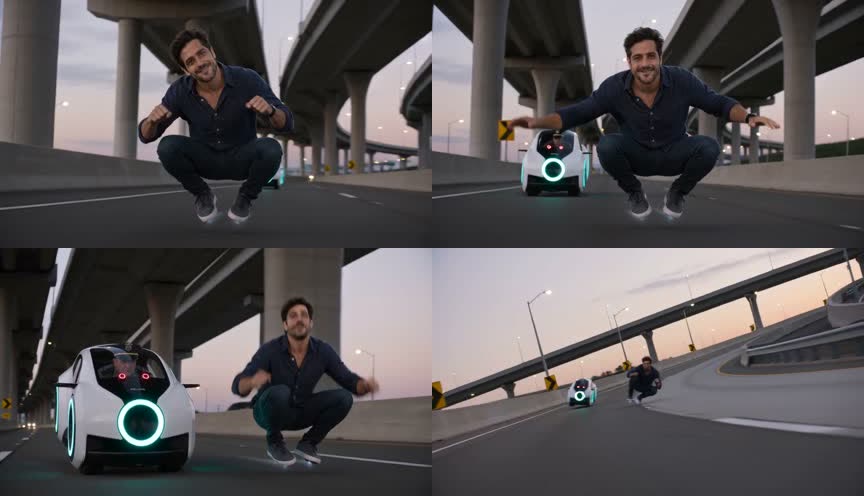
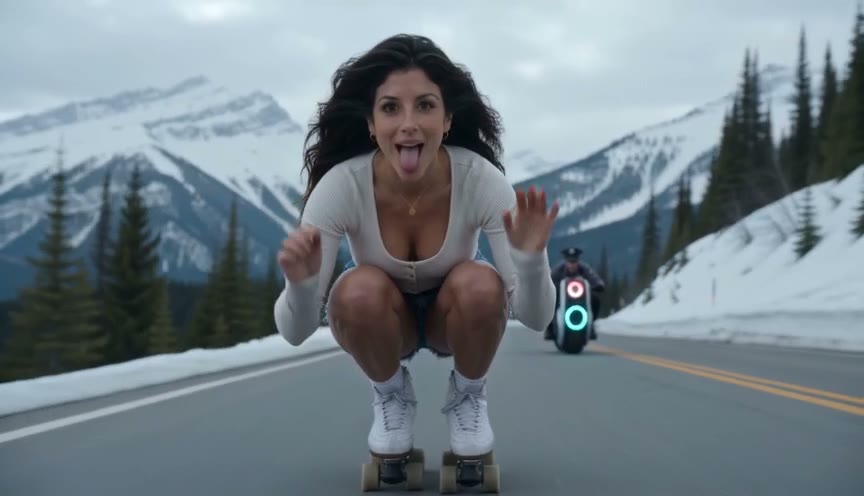
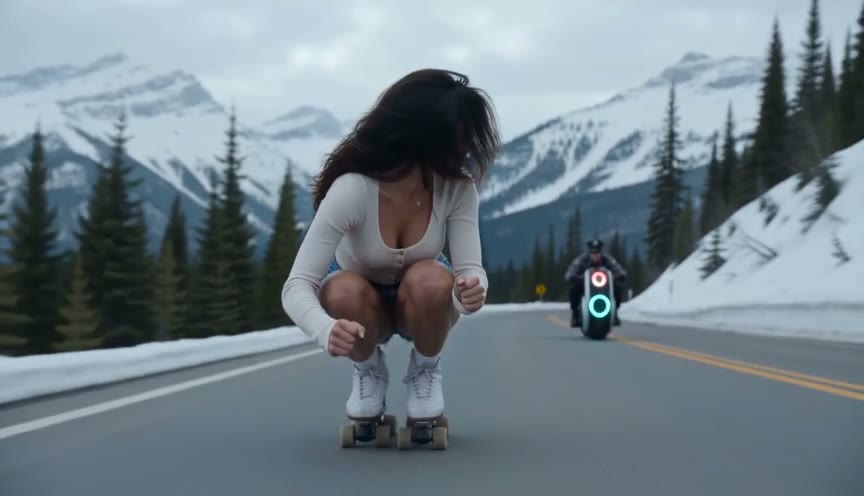
Two real uploads and the unedited 15-second videos AI Crazy Frog made from them: one with a single photo, one with two. Both are standard videos in 16:9 with the flip ending. We only picked a scene: no prompt, no editing. The frames at the top of this guide come from the first one.
One portrait, snowy pass
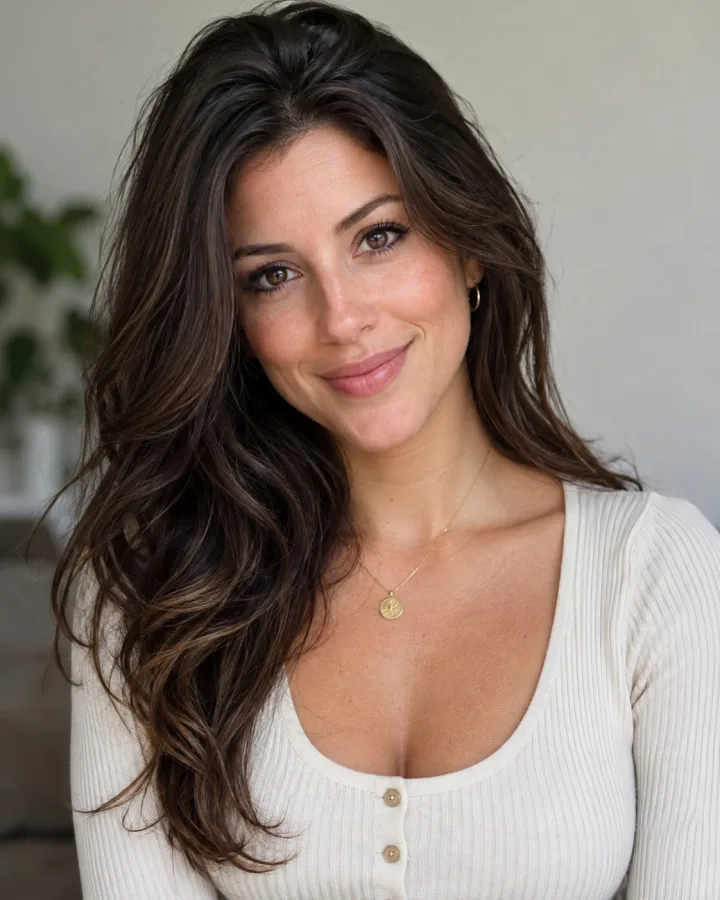 Rider
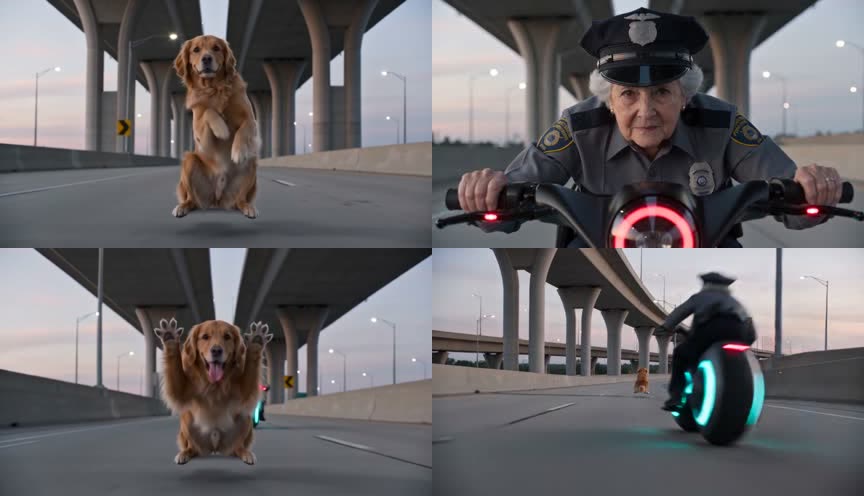
RiderThe dog rides, grandma is the cop
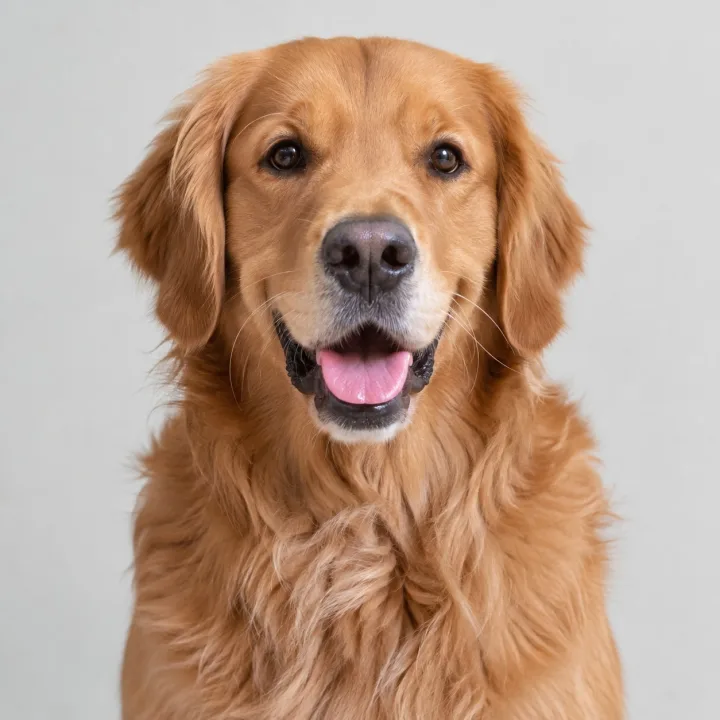 Rider
Rider Cop
CopWhat the Crazy Frog AI trend is
In October 2026 TikTok filled with AI clips of people riding a moped that is not there. They hold a deep squat in mid-air, fists on invisible handlebars, and cruise down a highway with a smug grin while a police officer on a hovering bike closes in. Most clips end with a flip.
The name comes from the 2005 Crazy Frog "Axel F" music video, where the cartoon frog rides an imaginary motorcycle through a city while a killbot on a hover-cycle chases him. The AI trend re-stages that chase with a real person and a cop, and creators post it over the same sound. More on the history in What is the Crazy Frog AI trend?
The clip that started it was posted on TikTok by @wdmowski. To find it and the thousands of versions since, search TikTok for the Crazy Frog sound. It runs 14.6 seconds in 16:9 and hits four beats, which every AI Crazy Frog video follows, so yes, you can recreate the police chase version exactly:
- The ride (0–5 s): one continuous shot from a low camera in front of the rider, who glides in the squat, grins into the lens and sways left and right on every beat like a biker leaning into curves.
- The cop (5–9 s): a hard cut to the officer riding an open white hover-bike with a glowing cyan headlight, who keeps chasing right behind the rider.
- The flip (9–11 s): the rider looks back over one shoulder at the cop, does a backflip, lands back on the invisible moped, sticks their tongue out and throws both hands up in a "whoa".
- The getaway (11–15 s): a chase from behind down a curving elevated highway between giant concrete towers, then both sweep round the next bend and past the camera.
What you need
- 1 photo of the rider: one subject, facing the camera, well lit, face not covered by sunglasses, masks or heavy filters. A full-body photo helps the squat look right.
- Optional: a second photo of a friend who will play the cop.
- A free account to sign in.
- Credits: 10 for a standard video, 25 for HD. Packs start at $6.90 for 10 credits.
- About 5–10 minutes of rendering time.
Can you make it with just one photo?
Yes. The model takes one still photo of the rider and builds the whole 15-second clip around it: the squat, the grin into the camera, the flip. You do not need to film yourself, write a prompt or replace a person in someone else's video frame by frame.
The photo matters more than any setting, so use one where the rider is alone, faces the camera and is well lit. Full-body helps; a clear selfie also works.
Step 1: Add your photo
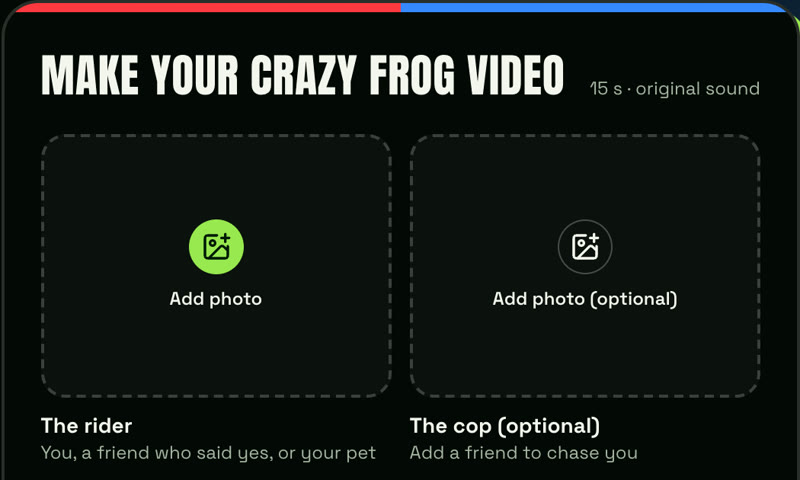
Open the generator at the top of the homepage and tap Add photo under The rider. A selfie at arm's length in daylight works; a photo where you stand or sit facing the camera works even better.
The rider does not have to be you. It can be an adult friend who agreed to it, or your dog or cat. Photos of celebrities, public figures or minors are not allowed.
Making it with a friend? Add their photo under The cop (optional) and the officer on the hover-bike gets their face, so the video is you being chased by them. Leave it empty and you get a generic officer.
Step 2: Pick a scene, an ending and a format
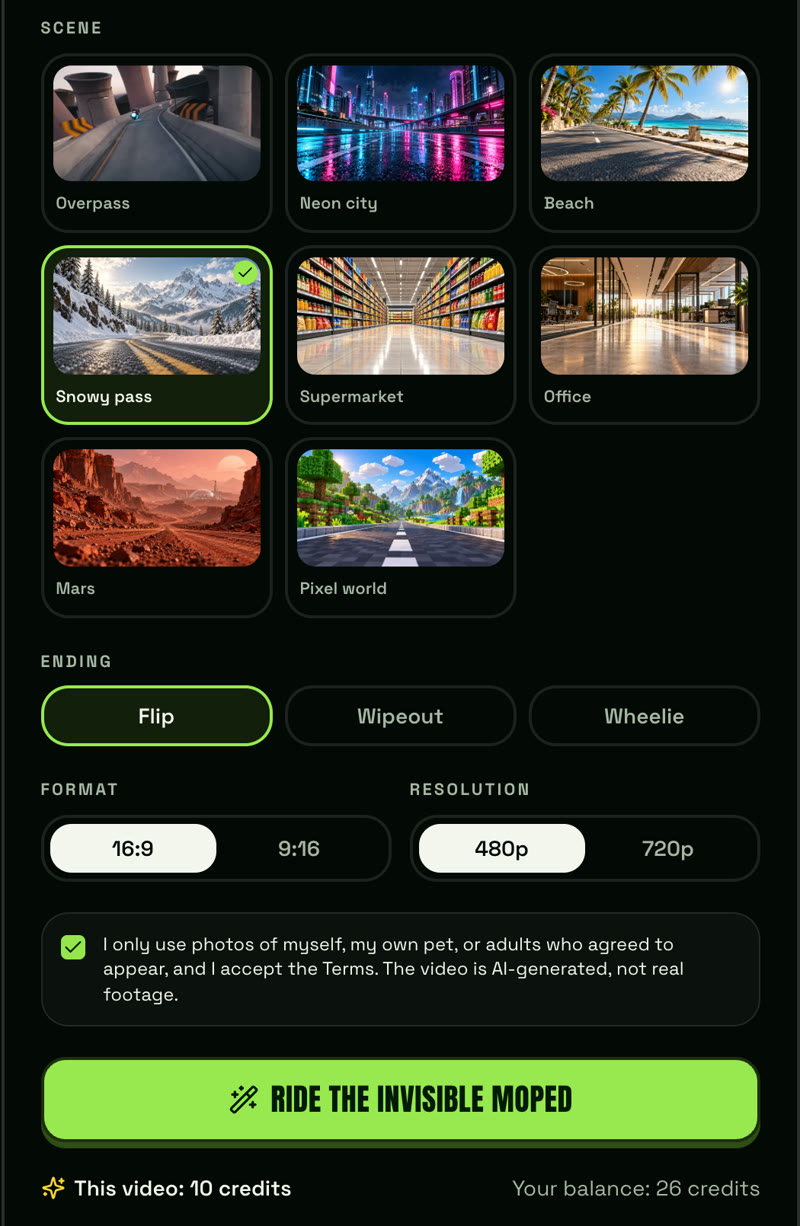
Scene. Eight places for the chase:
- Overpass: the original look, grey concrete and yellow chevron barriers.
- Neon city: a rain-slick street at night.
- Beach: a seaside boardwalk with palm trees.
- Snowy pass: a mountain road in light snowfall.
- Supermarket: down the main aisle, shoppers jumping aside.
- Office: past the meeting rooms while coworkers look up.
- Mars: red desert, dust trailing behind you.
- Pixel world: blocky voxel hills with you still photorealistic.
Ending. Flip is the classic. Wipeout has you tumble, bounce up and keep riding. Wheelie has you lean back and wave as the cop gives up.
Format and quality. 16:9 matches the original clip and is the default; pick 9:16 if you want it full-screen on TikTok, Reels and Shorts. Standard (10 credits, the 480p option) is the regular quality the trend clips are made at and looks right on a phone. HD (25 credits, the 720p option) adds extra sharpness for bigger screens.
Step 3: Generate and download
Tick the consent box and tap Ride the invisible moped. Rendering takes about 5–10 minutes. You can close the page; the video waits under Your recent videos when you come back.
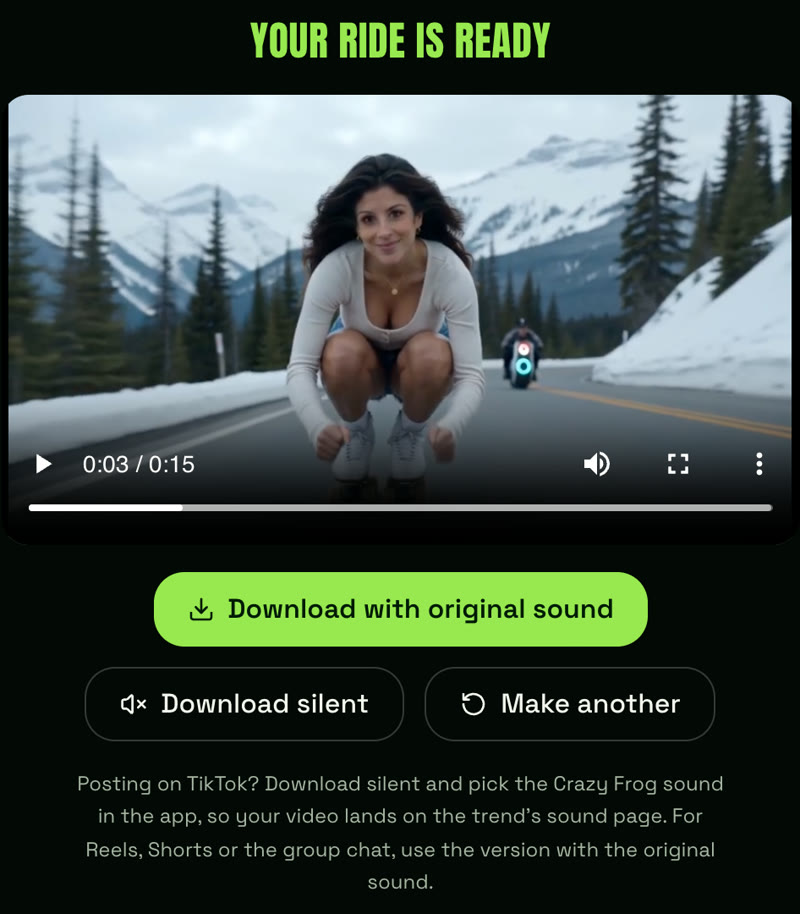
When it is ready you get two downloads, both MP4 with no watermark:
- Download with original sound: the original trend sound is added in your browser, timed to the shots. Use this for Instagram Reels, YouTube Shorts or the group chat.
- Download silent: the video without sound, for TikTok, where you add the sound in the app (see below).
If adding the sound fails in your browser, download the silent version and add the sound in TikTok or CapCut. If a render fails, times out or is blocked by a safety filter, the credits go straight back to your balance.
How to post it on TikTok with the Crazy Frog sound
On TikTok, use the silent version and the trend's sound from the app: videos that use the sound show up on that sound's page, which is where the trend lives.
- Tap Download silent and save the MP4 to your phone.
- In TikTok, tap +, choose Upload and pick the video.
- Tap Add sound, search for the Crazy Frog sound and select it, starting from the beginning of the track.
- Turn on the AI-generated content label in the post settings.
- Add a caption and hashtags such as #crazyfrog and #crazyfrogai, then post.
For Instagram Reels and YouTube Shorts, use Download with original sound and upload that MP4 as it is.
Do you need a prompt, Kling or Seedance?
Not here. AI Crazy Frog runs on ByteDance's Seedance 2.0 with the four-beat shot list already written for each scene and ending. You pick from menus; there is nothing to type.
If you would rather use Kling, Seedance or another video model directly, you will need to write that shot list yourself (squat on an invisible moped, cop on a hover-bike pulls up, twisting backflip, chase down an elevated highway, 15 seconds) and retry until the face stays consistent across the cuts. That is the work this tool does for you. If you want to try anyway, the full prompt and fixes are in Crazy Frog AI prompt: the 4-beat shot list.
Can you make it for free?
Not on AI Crazy Frog. Every render runs on a paid video model, so there is no free tier. A standard video is $6.90 (10 credits), credits never expire, there is no subscription, and a failed render puts the credits straight back.
Tips for a better ride
- Use a full-body photo if you have one. The model has to invent less of your body for the squat.
- Standard is enough for TikTok. Pick HD only if you want extra sharpness on a big screen.
- Make a series: same rider, a different scene each day, posted as part 1, 2 and 3.
- Put a friend in the cop slot. Their reaction to seeing themselves in uniform is a follow-up video on its own.
- Not happy with the face? Retry with a brighter, more front-facing photo; that changes the result more than anything else.
Ready in about 5–10 minutes. Failed renders are never charged.
AI Crazy Frog is an independent fan tool. It is not affiliated with, endorsed by or connected to Crazy Frog or its rights holders.
Frequently asked questions
- How can I make a Crazy Frog AI video with my own photo?
- Upload one clear, front-facing photo (JPG, PNG, WebP or HEIC, up to 8 MB) to AI Crazy Frog, pick a scene and an ending, and tap generate. In about 5–10 minutes you get a 15-second video of you riding an invisible moped with a cop on your tail.
- Can I recreate the viral Crazy Frog video using just one photo?
- Yes. One photo of the rider is all it needs: no video of yourself, no prompt and no editing. The video follows the same four beats as the original clip: the ride, the cop, the flip and the getaway.
- How do I do the Crazy Frog AI trend on TikTok?
- Render your clip in 9:16, tap Download silent, upload it in TikTok, then tap Add sound and pick the Crazy Frog sound. That puts your video on the trend's sound page. Turn on the AI-generated content label before posting.
- Can I make a Crazy Frog AI video with my friend?
- Yes. Add their photo in the cop slot and the officer chasing you on the hover-bike gets their face. Only use photos of people who agreed.
- Why is it called Crazy Frog if there is no frog?
- Because the trend re-stages the 2005 Crazy Frog "Axel F" music video, where the cartoon frog rides an imaginary motorcycle while a killbot on a hover-cycle chases him, and creators post the clips over that sound. The AI version swaps the frog for a real person and the killbot for a cop.
- What is the prompt for the Crazy Frog AI trend?
- On AI Crazy Frog you do not need one: every scene and ending comes with a tested shot list. If you prompt a video model such as Kling or Seedance yourself, describe four beats over 15 seconds: the person squatting mid-air on an invisible moped, a cop on a hover-bike pulling up, a twisting backflip, and a chase down an elevated highway.
- Does the video include the Crazy Frog sound?
- Yes. Videos render silent and the original trend sound is added in your browser when you tap Download with original sound, timed to the same beats as the original clip. For TikTok, download the silent version and pick the Crazy Frog sound in the app.
- Can I make a Crazy Frog AI video for free?
- Not on AI Crazy Frog. Each video runs on a paid AI video model. The cheapest option is $6.90 for 10 credits, enough for one standard video with no watermark, and a failed render is never charged.